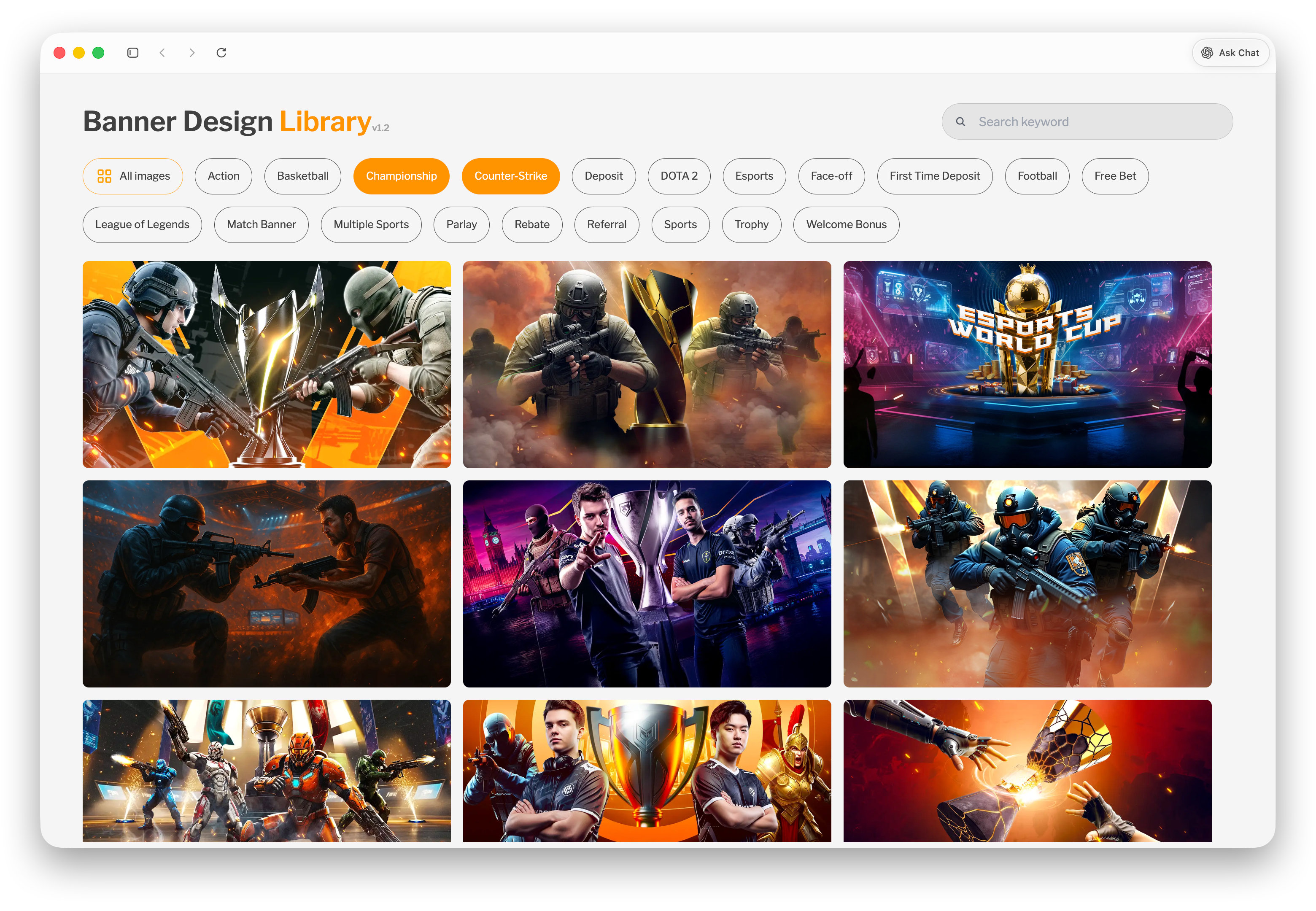
Case Study: Banner Design Library
The Banner Design Library is an internal tool that centralizes AI-generated banner design samples along with their corresponding prompts. It allows multiple teams to browse, select, and request new banners based on pre-approved styles, ensuring consistency while speeding up the design process.
I built this as a full-stack solo project, focusing on accessibility, organization, and reusability of design assets across teams.
Problem
Banner designs frequently change based on marketing campaigns, product updates, and sponsorships.
- New banners are created weekly or monthly
- Teams rely on the design team to propose and recreate visuals
- No centralized system to store and reuse existing mock designs
- Risk of teams requesting designs that don’t align with brand guidelines
- Recreating designs manually is time-consuming without reference to original prompts
Solution
I developed a centralized platform where teams can browse curated banner designs and reuse them as references for new requests.
Key Features
- Categorized library of banner designs by type/use-case
- Each design includes its AI prompt for easy recreation
- Enables teams to select 2–3 reference designs per request
- Streamlines communication between production and design teams
- Ensures all selected designs stay within brand guidelines
Process
Research & Collaboration
I collaborated closely with the design team to understand how they create and reuse banner concepts. We identified the need for a system that not only stores designs but also preserves the AI prompts used to generate them.
Technical Approach
- Built a lightweight interface for browsing and filtering banner assets
- Structured data to associate each image with its corresponding prompt and category
- Integrated with the existing file storage/database system used internally
- Focused on fast access and simple navigation for non-technical users
Key Decisions
- Prioritized simplicity and speed, since the tool is used frequently across teams
- Leveraged existing infrastructure instead of building a new backend from scratch
- Included prompts alongside designs to make assets reproducible, not just viewable
Challenges
Implementing authentication and access control for internal use
Ensuring assets are protected while still easily accessible
Limited prior experience with backend-related security concepts
Organizing large sets of designs in a way that remains easy to navigate
Solutions
- Implemented basic authentication and access restrictions to secure internal content
- Applied data structuring and categorization to improve navigation
- Leveraged existing backend systems to simplify security handling
- Iterated on UI layout to keep browsing intuitive even as the library grows
Impact
- Created a single source of truth for banner design references
- Reduced time spent recreating designs from scratch
- Improved brand consistency across all teams
- Adopted and actively used by multiple departments
Learnings
- Gained experience in building systems that support design workflows
- Improved understanding of authentication and access control basics
- Learned how to structure content for scalability and usability
- Strengthened collaboration between design and development perspectives