Case Study: TNC Automation Tool
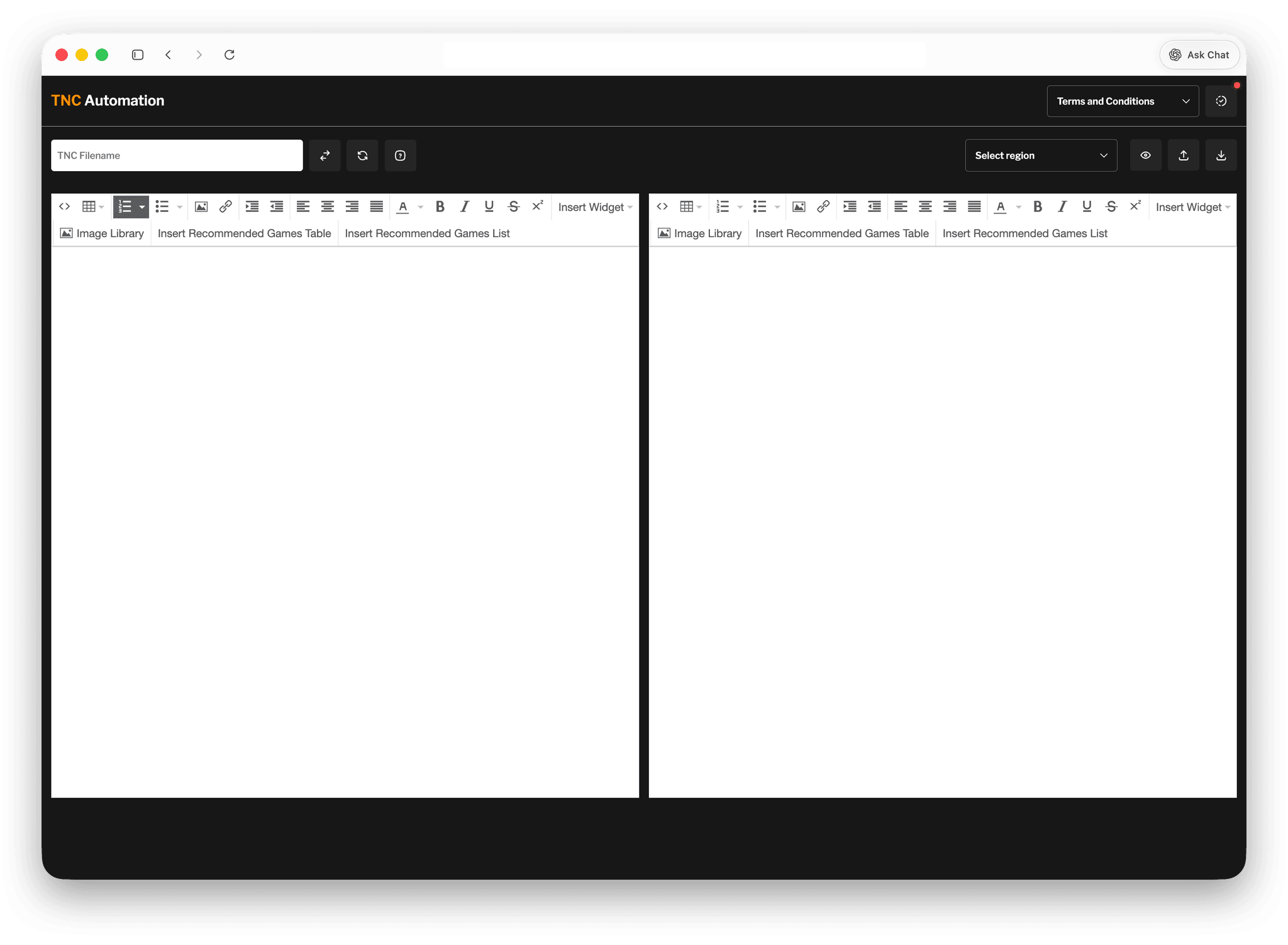
The TNC Automation Tool is an internal web application designed to streamline the creation and management of Terms and Conditions (T&C) pages. It enables non-technical users—specifically marketing teams—to generate, edit, and export fully formatted HTML documents without writing code.
I developed this as a full-stack solution using JavaScript and Tailwind CSS, integrating a WYSIWYG editor to bridge the gap between content creation and frontend implementation.
Problem
The existing workflow for creating and updating T&C pages was inefficient, repetitive, and heavily dependent on the frontend team.
Marketing teams across multiple regions would:
- Draft T&C content in Microsoft Word (both English and localized versions)
- Submit the document to the frontend/design team
- Wait for conversion into HTML
- Review in a test environment
- Request revisions if needed, repeating the cycle
This process:
- Took 1–2 hours per request
- Created unnecessary back-and-forth between teams
- Introduced risks of formatting inconsistencies and code errors
- Prevented marketing teams from having direct control over their own content
Solution
I built a self-service internal tool that allows marketing teams to independently create and manage T&C pages.
At the core of the solution is a WYSIWYG editor powered by TinyMCE, enhanced with custom functionality tailored to the team's workflow.
Key Features:
- Dual Editor Interface
- Separate editors for English and localized content, improving clarity and navigation
- Template presets for different regions or campaign types
- Live preview before export
- Users can insert pre-defined design components (e.g., tables, formatted sections, or even Vue widget components) without writing HTML
- HTML Import & Conversion
- Existing T&C HTML files can be uploaded and converted back into editable content
- One-Click HTML Export
- Generates clean, deployment-ready HTML files instantly
Process
Research & Collaboration
I worked closely with both the design team and multiple regional marketing teams to understand their workflow, pain points, and content requirements. This ensured the tool aligned with real-world usage rather than assumptions.
Technical Approach
- Integrated TinyMCE as the base editor
- Extended its functionality to support custom components and structured content
- Built logic to handle HTML parsing and reconstruction for import/export features
Key Decisions
- Chose JavaScript for accessibility and maintainability, allowing other team members to easily understand or extend the tool
- Kept the architecture lightweight since it’s an internal tool, prioritizing usability over complexity
Challenges
HTML Import Compatibility - Importing existing HTML files into the editor was inconsistent, especially with older file versions.
Editor Limitations - The WYSIWYG editor automatically stripped out certain code (e.g., Vue and JavaScript), which broke some design components.
Poor Initial UX - The first version used a single editor for both English and localized content, making it difficult to manage and error-prone.
Solutions & Improvements
- Built a version detection system to identify and convert older HTML formats into a compatible structure
- Implemented logic to preserve or safely ignore restricted code, preventing output breakage
- Redesigned the interface into a dual-editor layout, significantly improving usability and reducing mistakes
Results & Impact
- Reduced T&C creation time from 1–2 hours → 5–10 minutes
- Eliminated repetitive back-and-forth between marketing and frontend teams
- Successfully handed over ownership to marketing teams, giving them full control over content
- Standardized output, reducing formatting errors and improving code consistency
- The tool is now actively used in production as part of the internal workflow.
Learnings
- Gained deeper experience in HTML parsing and content transformation (text ↔ HTML)
- Improved ability to design tools for non-technical users
- Strengthened collaboration skills—working across teams was critical to building the right solution
- Learned to balance technical constraints with user experience, especially when working with third-party tools like WYSIWYG editors